Open on any device
Use Open xtraLesson to sign in or explore in your browser with your existing learning account.
xtraLesson Mobile
Native apps coming soon — browser access availablextraLesson Mobile brings the connected xtraLesson learning experience to your phone, with the same identity, learning access and progress across the ecosystem.
 Google Play — Coming Soon
 App Store — Coming Soon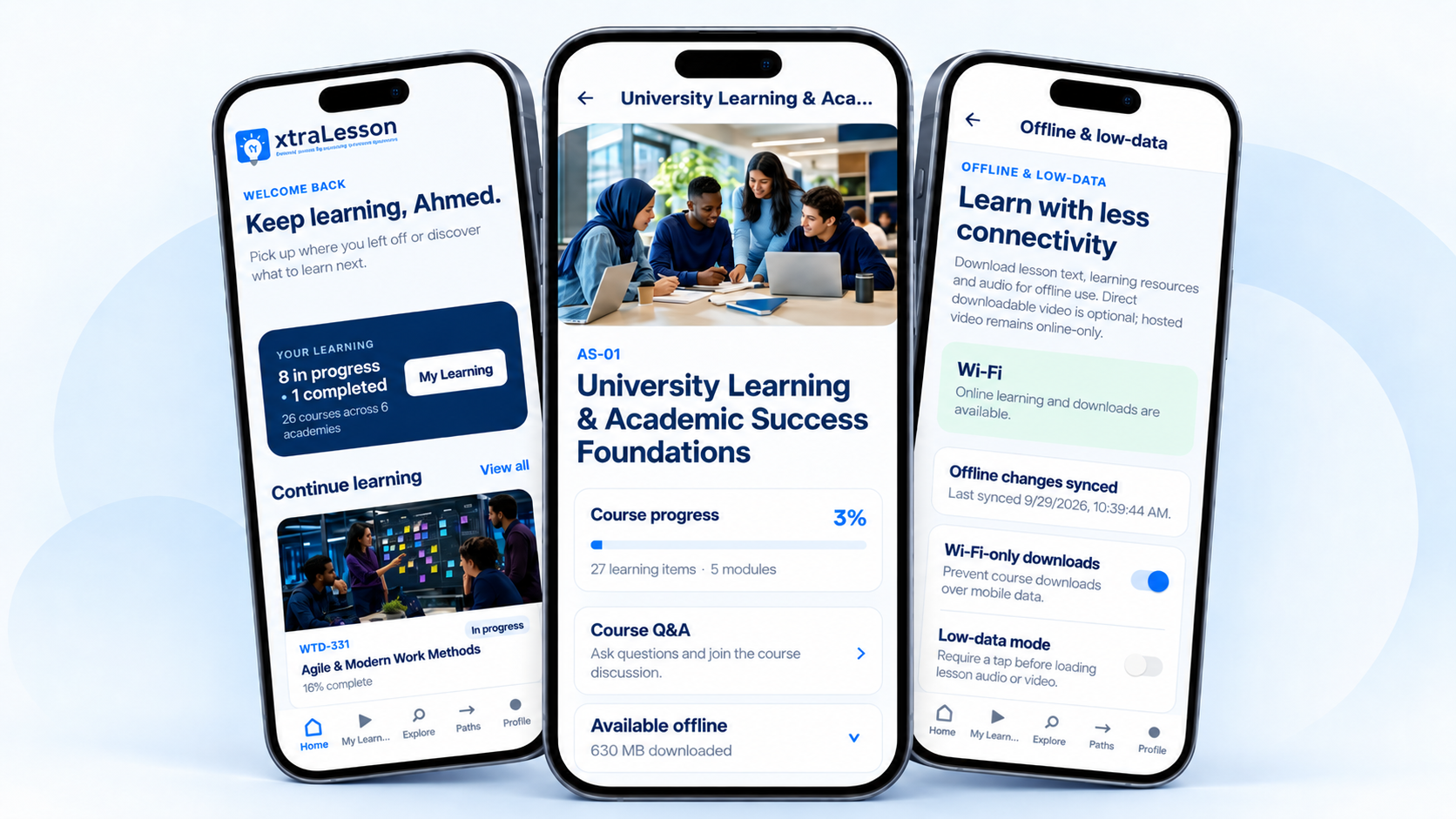
Your Learning, Your Device
Open xtraLesson works on iPhone, iPad, Android and desktop without installing an app. The native Android Early Access build cannot be downloaded until its release checks pass.
Use Open xtraLesson to sign in or explore in your browser with your existing learning account.
Once available, we will publish a verified Android APK with its version and installation instructions. Android may ask you to authorise installation from the download source. Keep Play Protect and device security checks enabled.
New Android versions and verified update guidance will be available here. Until then, use Open xtraLesson in your browser.
Contact support →Why xtraLesson Mobile
For students, professionals, educators and programme learners, Mobile keeps practical learning close—whether you are commuting, travelling, working in the field or managing limited connectivity.
Move between web and mobile without creating a separate learning identity.
Return to My Learning, courses, Learning Paths, progress and achievements through the same ecosystem.
Use download, Wi-Fi-only and low-data controls to make supported learning more practical when connectivity is limited.
Key Features
Explore academies, continue courses and follow structured Learning Paths around practical goals.
Learn with lesson video, Audio Deep Dives and practical learning resources where available.
Complete knowledge checks and supported assignments from the mobile learning experience.
Capture learning notes and use discussions and Course Q&A to ask questions in context.
Stay aware of relevant learning activity and updates through the mobile experience.
Access your account, learning access and issued certificates from your profile.
Offline & Low-Data
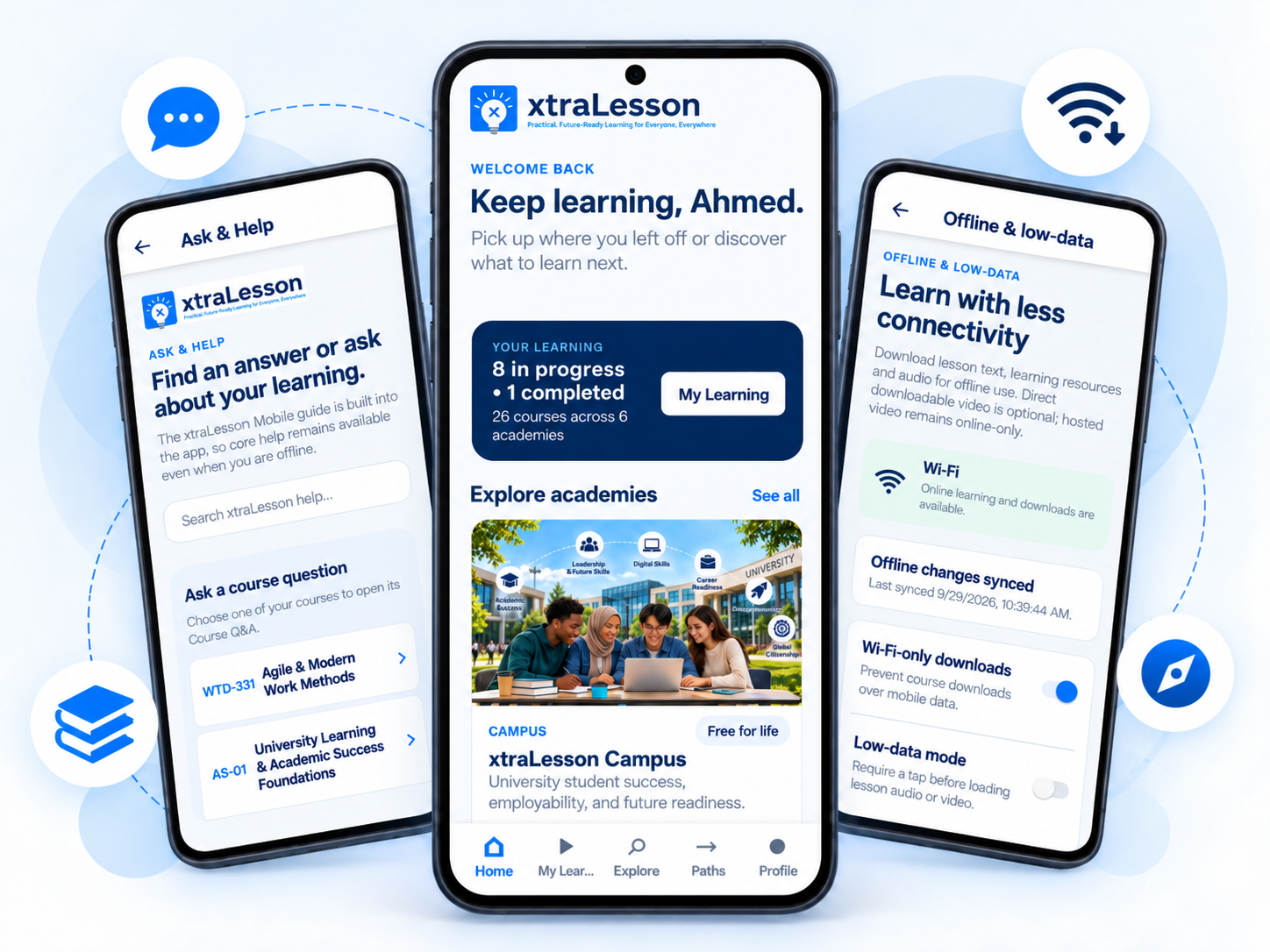
Download supported lesson text, learning resources and audio for offline use. Wi-Fi-only download controls and low-data mode help learners manage connectivity and data use. Hosted video remains online-only unless a direct downloadable format is provided.
Who It’s For
Study success, employability, pathways and future-readiness learning on the move.
Continue workforce and professional-development learning around work and life schedules.
Extend authorised organisational and programme learning to distributed, field and mobile-first learners.
Connected Experience
Discover learning on xtralesson.com, learn through the browser at learn.xtralesson.com, or continue through xtraLesson Mobile. Core keeps academy, catalogue and access truth aligned across these experiences.
Eligible learning access carries across the ecosystem; Mobile is not a separate learning subscription.
For Organisations
Organisations can combine managed access, programmes, Custom Academies and reporting with a learner experience that continues onto mobile for eligible users.
Ask & Help
xtraLesson Mobile includes Ask & Help for app guidance, a full in-app FAQ and Course Q&A. The website FAQ also includes a dedicated Mobile App section for common access, download, offline and support questions.
xtraLesson Mobile
Use one xtraLesson identity across the connected learning ecosystem and continue learning in the experience that fits your context.